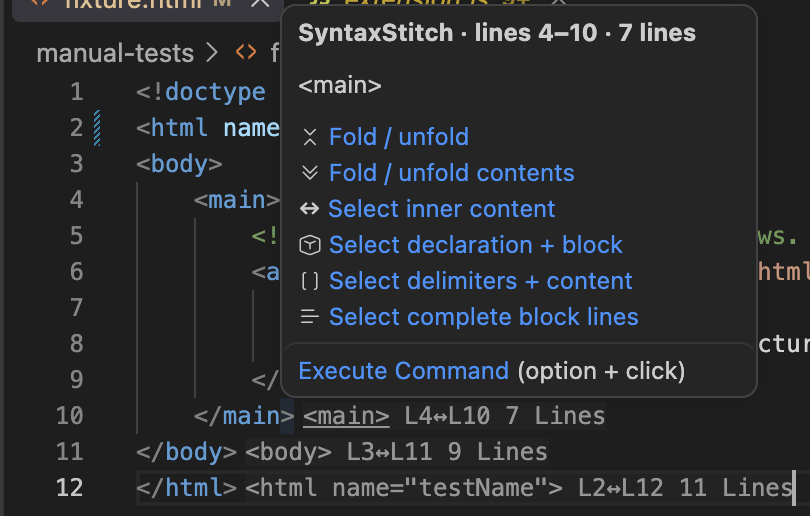
SyntaxStitch
A Visual Studio Code Plugin Extension by Brock Nash.
Keep AI edits from unraveling your code.
SyntaxStitch automatically repairs orphaned brackets, quotes, tags, and Python indentation before one missing boundary turns the rest of your file into syntax-error confetti.
Built for modern AI-assisted development, SyntaxStitch watches structural edits and quietly fixes the small boundary mistakes that can derail otherwise-correct code.
Less cleanup. Fewer wasted tokens. More time building.
[Install for VS Code]
AI Is Fast. Syntax Errors Are Faster.
AI coding tools can rewrite hundreds of lines in seconds—but one deleted }, quote, closing tag, or indentation boundary can break everything that follows.
Then comes the familiar cycle:
AI makes edit → syntax breaks → AI investigates → AI fixes its own mistake → more tokens and time disappear.
SyntaxStitch interrupts that cycle.
It tracks paired structures as your code changes and repairs genuinely orphaned boundaries automatically.
Built for Structural Edits
SyntaxStitch works with more than ordinary typing.
It watches changes caused by:
AI-generated edits
Paste and replace operations
Multi-cursor editing
Refactors
Normal typing and deletion
Whether you or an AI assistant made the change, SyntaxStitch focuses on preserving the structural integrity of the file.
What SyntaxStitch Repairs
Brackets
(), [], {}
If an edit destroys exactly one side of a known pair, SyntaxStitch can restore the missing boundary.
When a pair contains only whitespace, deleting one side can intelligently remove the entire empty pair instead.
Quotes
Single and double quotes are tracked so an edit doesn't casually leave the rest of the file trapped inside a string.
Tags
Paired markup structures can be protected from edits that remove one side while leaving its partner behind.
Python Indentation
Because Python's structure isn't surrounded by brackets, SyntaxStitch also watches indentation boundaries where structural edits can otherwise leave malformed blocks.
Smarter Than Blind Auto-Closing
SyntaxStitch doesn't simply see a missing character and put it back.
Behind the scenes, it maintains a UUID-backed shadow index of paired boundaries.
When one side disappears, SyntaxStitch asks an important question:
Is this boundary actually orphaned—or did its surviving partner legitimately rebind to something else?
Only genuinely orphaned structures are healed.
That distinction matters during large replacements, AI rewrites, refactors, and other edits where simplistic auto-closing behavior can make things worse instead of better.
Made for AI-Assisted Coding
Modern development increasingly involves tools making structural changes on your behalf.
Copilots and coding agents are remarkably capable—but they still occasionally:
delete one closing bracket too many,
leave behind half a quote pair,
damage nested markup,
alter indentation incorrectly,
or turn a tiny local edit into errors throughout the remainder of a file.
SyntaxStitch acts as a lightweight structural layer underneath those tools.
Your AI can concentrate on writing the code. SyntaxStitch helps keep the syntax stitched together.
Quiet by Design
SyntaxStitch isn't another assistant competing for your attention.
There are:
No prompts.
No cloud service.
No source uploads.
No configuration required.
Install it and keep coding!
Save More Than Keystrokes
A missing brace might take one keystroke to repair.
Finding which brace disappeared—and getting an AI coding agent to understand and repair the resulting cascade—can take considerably more.
SyntaxStitch is designed to catch the tiny structural failures before they become larger debugging problems.
Fewer syntax cascades.
Fewer corrective AI passes.
Fewer wasted tokens.
Less interruption to your flow.
Stitch the Syntax. Keep Building.
AI coding should make development faster—not create a second debugging pass for mistakes introduced during the first one.
Give your editor a structural safety net.
Install SyntaxStitch for Visual Studio Code